 Obsidian 开发者文档
Appearance
HTML元素
Obsidian API 中的一些组件(如 "Settings")会公开容器元素:
ts
import { App, PluginSettingTab } from 'obsidian';

class ExampleSettingTab extends PluginSettingTab {
  plugin: ExamplePlugin;

  constructor(app: App, plugin: ExamplePlugin) {
    super(app, plugin);
    this.plugin = plugin;
  }

  display(): void {
    // highlight-next-line
    let { containerEl } = this;

    // ...
  }
}容器元素是 HTMLElement 对象,可在 Obsidian 中创建自定义界面。
使用 createEl()创建HTML元素
每个 HTMLElement (包括容器元素)都会公开一个 createEl() 方法,在原始元素下创建一个 HTMLElement 。
例如,以下是在容器元素内添加 <h1> 标题元素的方法:
ts
containerEl.createEl('h1', { text: 'Heading 1' });createEl() 返回对新元素的引用:
ts
const book = containerEl.createEl('div');
book.createEl('div', { text: 'How to Take Smart Notes' });
book.createEl('small', { text: 'Sönke Ahrens' });元素风格
您可以在插件根目录中添加 styles.css 文件,为插件添加自定义 CSS 样式。为上面例子中的book添加一些样式的示例:
css
.book {
  border: 1px solid var(--background-modifier-border);
  padding: 10px;
}

.book__title {
  font-weight: 600;
}

.book__author {
  color: var(--text-muted);
}[!TIP]
--background-modifier-border和--text-muted是由 Obsidian 定义和使用的 CSS variables 如果您在样式中使用这些变量,即使用户使用不同的主题,您的插件也会非常美观!🌈
要使 HTML 元素使用样式,请为 HTML 元素设置 cls 属性:
ts
const book = containerEl.createEl('div', { cls: 'book' });
book.createEl('div', { text: 'How to Take Smart Notes', cls: 'book__title' });
book.createEl('small', { text: 'Sönke Ahrens', cls: 'book__author' });现在看起来好多了!🎉
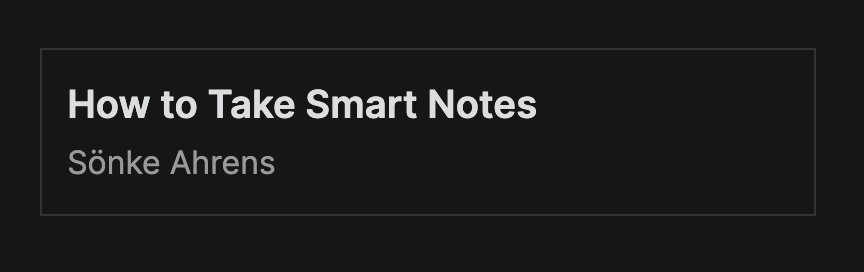
条件样式
如果要根据用户的设置或其他值更改元素的样式,请使用 toggleClass 方法:
ts
element.toggleClass('danger', status === 'error');